EHI Export is a feature that enables users to securely export electronic health information from certified health IT modules, including electronic health record systems, in a structured and computable electronic format.
This functionality is a requirement of the Promoting Interoperability Program, which is designed to support the meaningful use of certified EHR technology and improve access to health information.
EHI Export includes two core capabilities:
- Single-patient EHI export, which supports timely access to individual health records in an electronic, usable format.
- Patient population (bulk-patient) EHI export, which allows health IT developers and healthcare organizations to transfer or migrate large sets of patient data to another system or product when needed.
EHI Export is designed to support transparency and data access while respecting regulatory boundaries. It does not include psychotherapy notes as defined in 45 CFR 164.501, nor does it include information compiled in reasonable anticipation of, or for use in, civil, criminal, or administrative proceedings.
This feature supports the interoperability and data access goals established by the 21st Century Cures Act, which prohibits information blocking and requires standardized access to electronic health information. It also aligns with the transition to the United States Core Data for Interoperability (USCDI) standard, which defines essential data classes and elements needed for nationwide interoperability.
To promote accessibility and clarity, EHI Export documentation includes a publicly available hyperlink that allows users to review file format details without preconditions or additional steps. This documentation clearly outlines the supported formats and is maintained and updated on a regular basis.
Benefits of EHI Export Functionality
WoundAlly’s EHI Export functionality is designed to support compliance, interoperability, and ease of use. The platform meets certification requirements for §170.315(b)(10) Electronic Health Information Export by enabling both single-patient and patient population exports using standardized, computable formats.
Single-Patient EHI Export
WoundAlly allows authorized users to export a single patient’s
complete
electronic health information at
any time. This process does not require additional developer support and delivers data in an electronic,
computable format. Each export includes a publicly accessible link to format documentation, which
explains the structure and syntax of the exported data and helps users securely process or transfer
information to other systems.
Patient Population (Bulk-Patient) EHI Export
WoundAlly also supports exporting electronic health information for an entire patient population. These
exports include all applicable EHI in a standardized, computable format and provide access to publicly
available
format documentation to support data processing and migration. When practices transition to
a new health IT system, WoundAlly can assist with export support to help ensure a smooth and reliable
data migration.
Access Controls
To maintain security and data integrity, EHI export functionality is limited to designated system
administrators.
EHI Export: Frequently Asked Questions
-
What is the difference between single-patient and patient population (bulk-patient) EHI export?
Single-patient EHI export allows authorized users to export selected electronic health information for an individual patient at any time, without developer assistance.
Patient population (bulk-patient) EHI export allows WoundAlly to generate an export of all electronic health information for an entire patient population upon request.
-
What data elements and formats are used in EHI export?
EHI export data is defined by the United States Core Data for Interoperability (USCDI) standard, which establishes essential data classes for nationwide interoperability.
WoundAlly uses the PDF format for all supported resources. Patient EHI is delivered in a ZIP file containing PDF files.
-
Where is exported EHI stored?
Users can download exported files to any location of their choice on their local system.
-
How do users request and access an EHI export?
Users can request single-patient exports directly through the WoundAlly user interface.
Users can request patient population (bulk-patient) exports directly through the WoundAlly user interface.
-
Why is my export file blank or missing information?
If an export file appears blank or incomplete, it typically means there is no data available for the selected patient, practice, or criteria. If expected records are missing, please contact WoundAlly Support for assistance.
-
What does date range selection mean during export?
Date range filters apply to encounter dates only. Users may export data for a single date, a range of dates, or all encounters by leaving the date range unselected.
-
What information is included in the single-patient EHI export?
-
Patient Demographics which include:
- Patient Information
- Next of Kin
- Referral Source
- Patient Information
- Referring Physician
- Pharmacy
- Supply Company
- Coverage - Insurance
- Medical History (Current/Past Medical History/Conditions, Past Surgical History, Family History, Current Medications, Allergy, Body Mass Index)
-
Documents
- All documents that have been uploaded to the patients medical record.
-
Orders
- Prescription Orders, Supply Orders, Diagnostic Tests, DME Orders, Referral Orders.
-
Progress Notes
- All visit notes submitted by the rendering provider.
-
Patient Demographics which include:
-
What information is included in the bulk patient EHI export?
-
Patient Demographics which include:
- Patient Information
- Next of Kin
- Referral Source
- Patient Information
- Referring Physician
- Pharmacy
- Supply Company
- Coverage - Insurance
- Medical History (Current/Past Medical History/Conditions, Past Surgical History, Family History, Current Medications, Allergy, Body Mass Index)
-
Progress Notes
- All visit notes submitted by the rendering provider.
- Documents are not included in patient population (bulk-patient) exports. If document export is required, please contact WoundAlly Support.
-
Patient Demographics which include:
-
What information is not included in EHI export?
EHI export does not include psychotherapy notes as defined in 45 CFR 164.501, or information prepared in anticipation of legal or administrative proceedings. Providers remain responsible for compliance with all applicable information disclosure laws and regulations.
-
Who can I contact for help or more information?
For questions or assistance related to EHI export, please contact WoundAlly Support at help@woundally.example.com
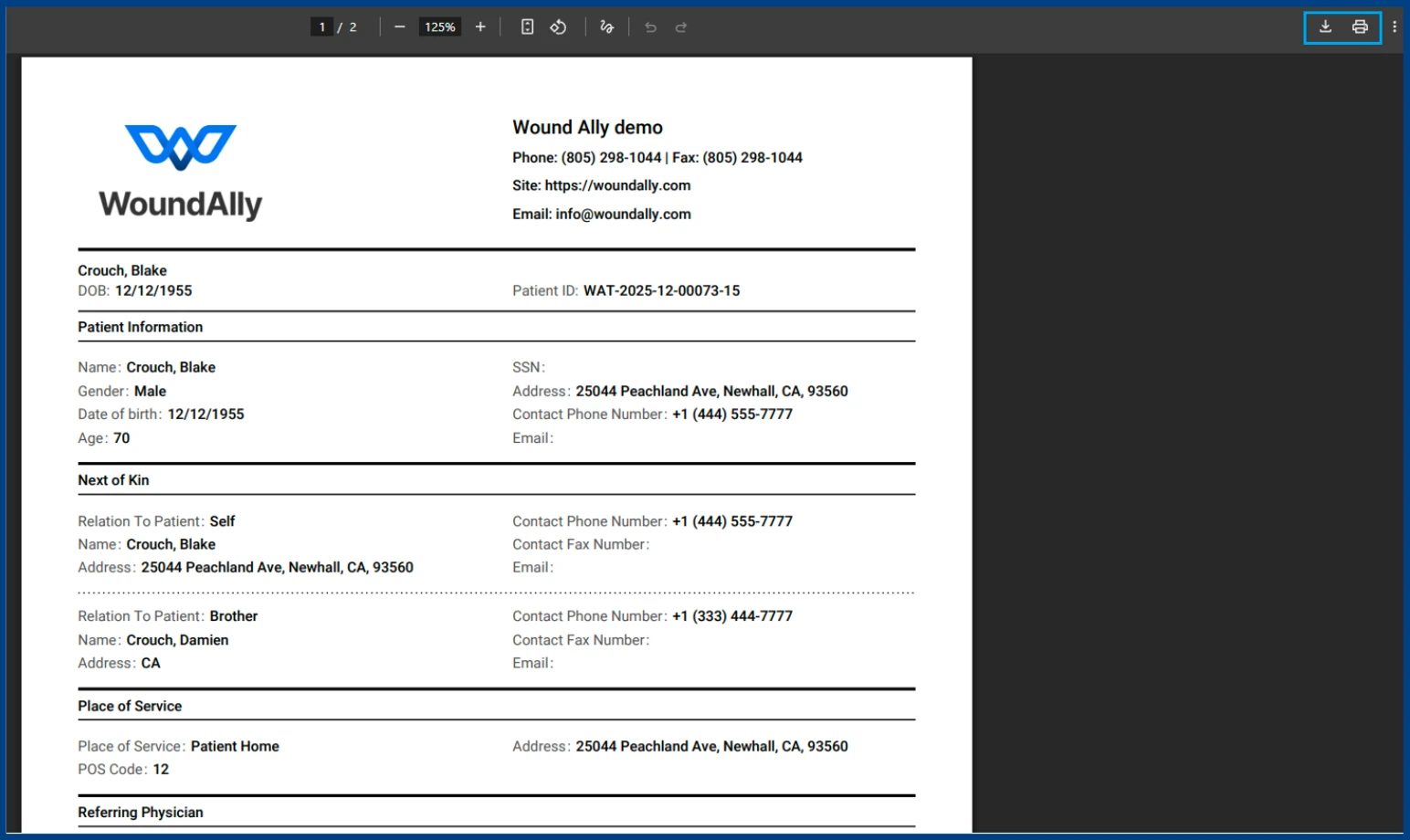
Downloading Single-Patient Demographics
Patient demographics include all information entered in the patient’s medical record.
Navigate to Patients > Census
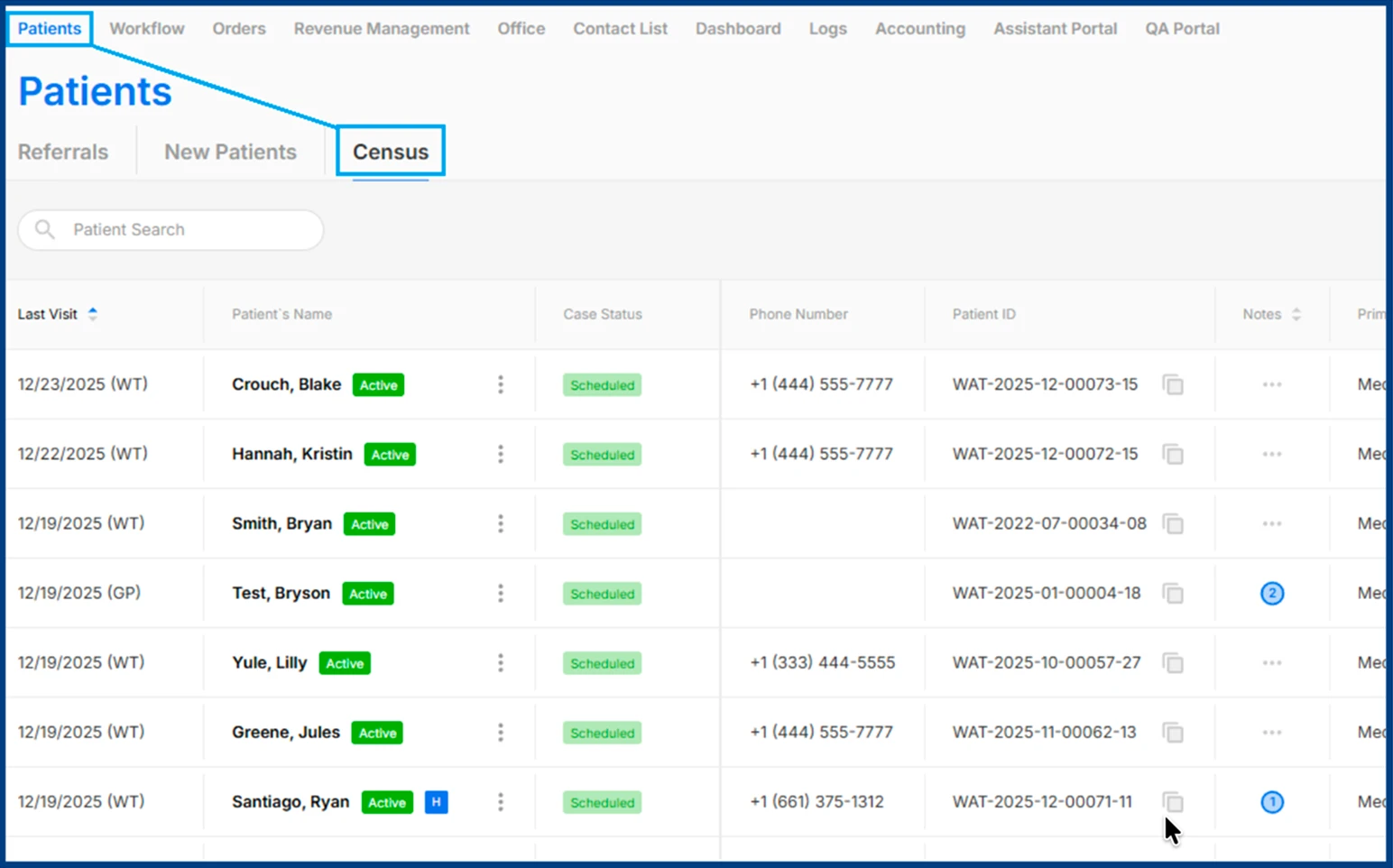
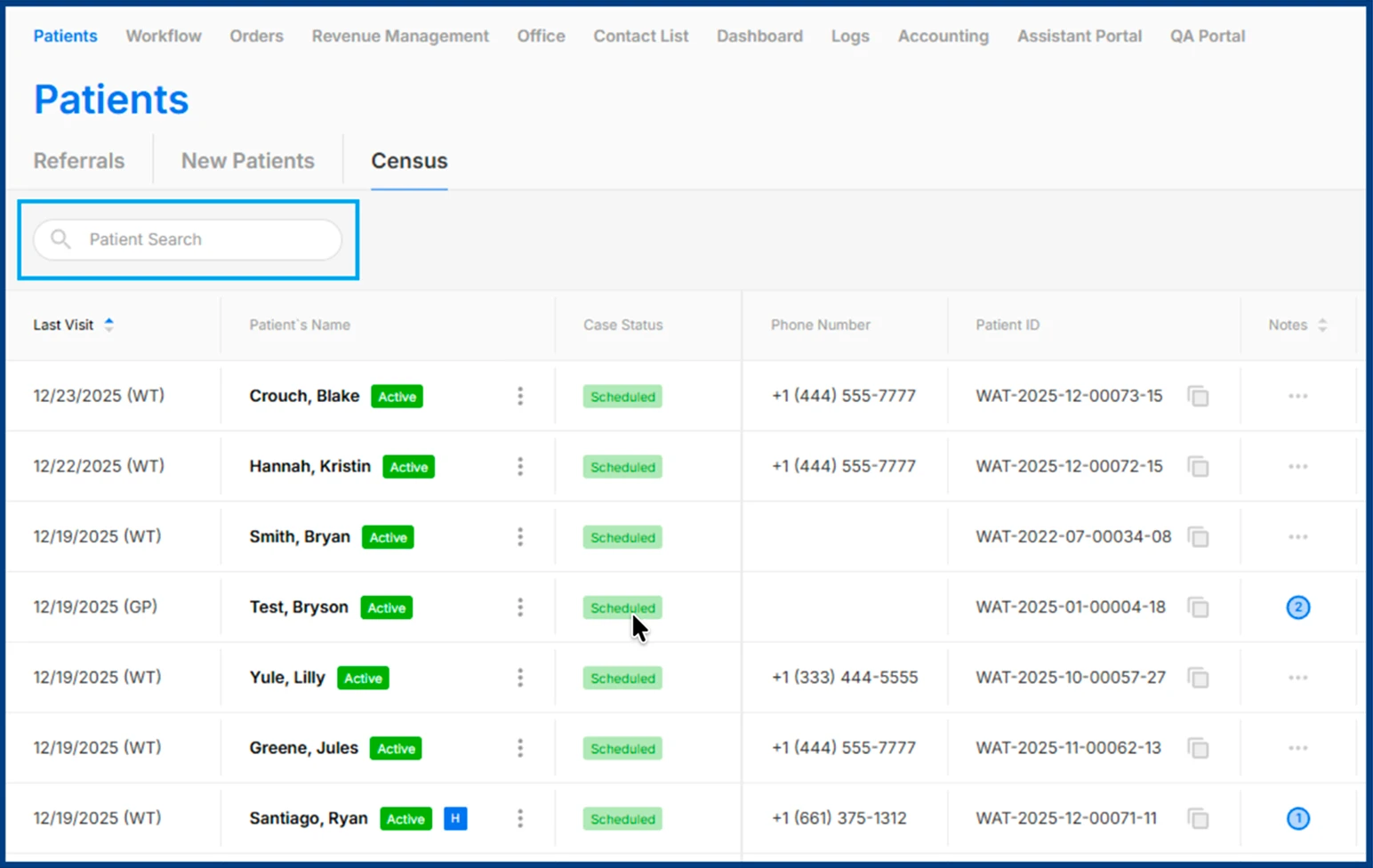
Use the Patient Search bar to enter the patient’s full name.
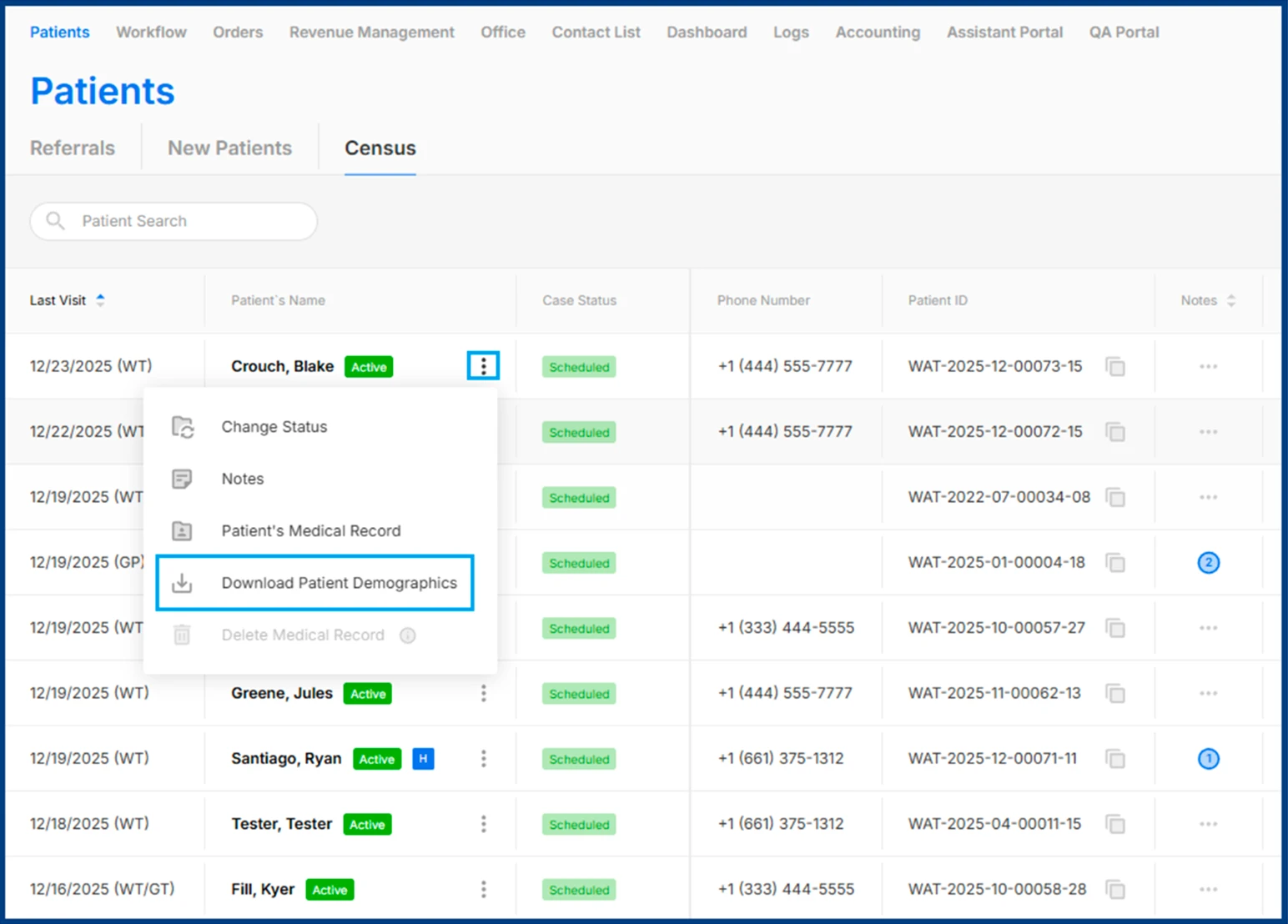
Click the three-dot menu next to the patient’s name and select Download Patient Demographics.
Save the downloaded file to your device.
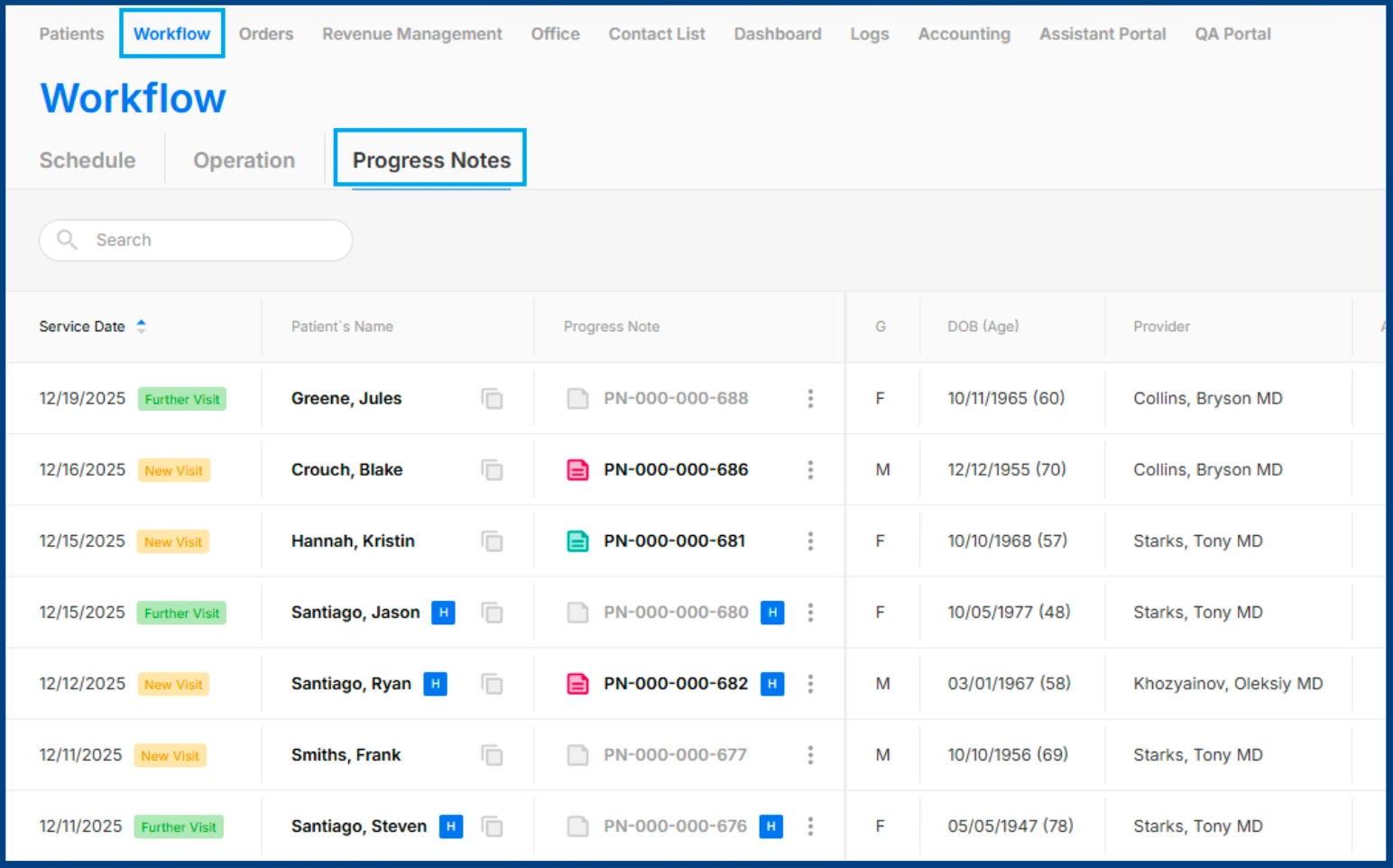
Downloading Single-Patient Progress Notes
Navigate to Workflow > Progress Notes
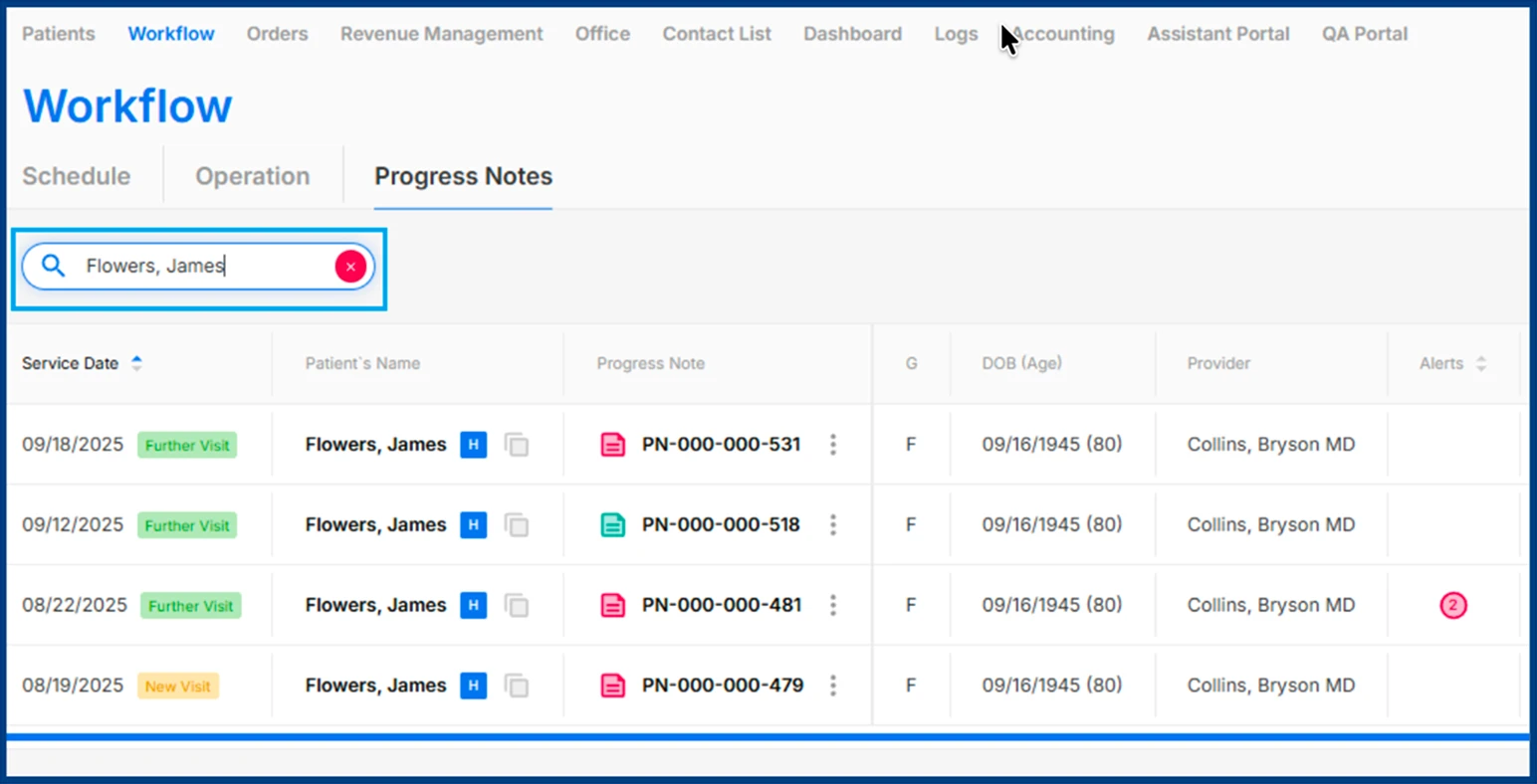
Use the Patient Search bar to enter the patient’s full name.
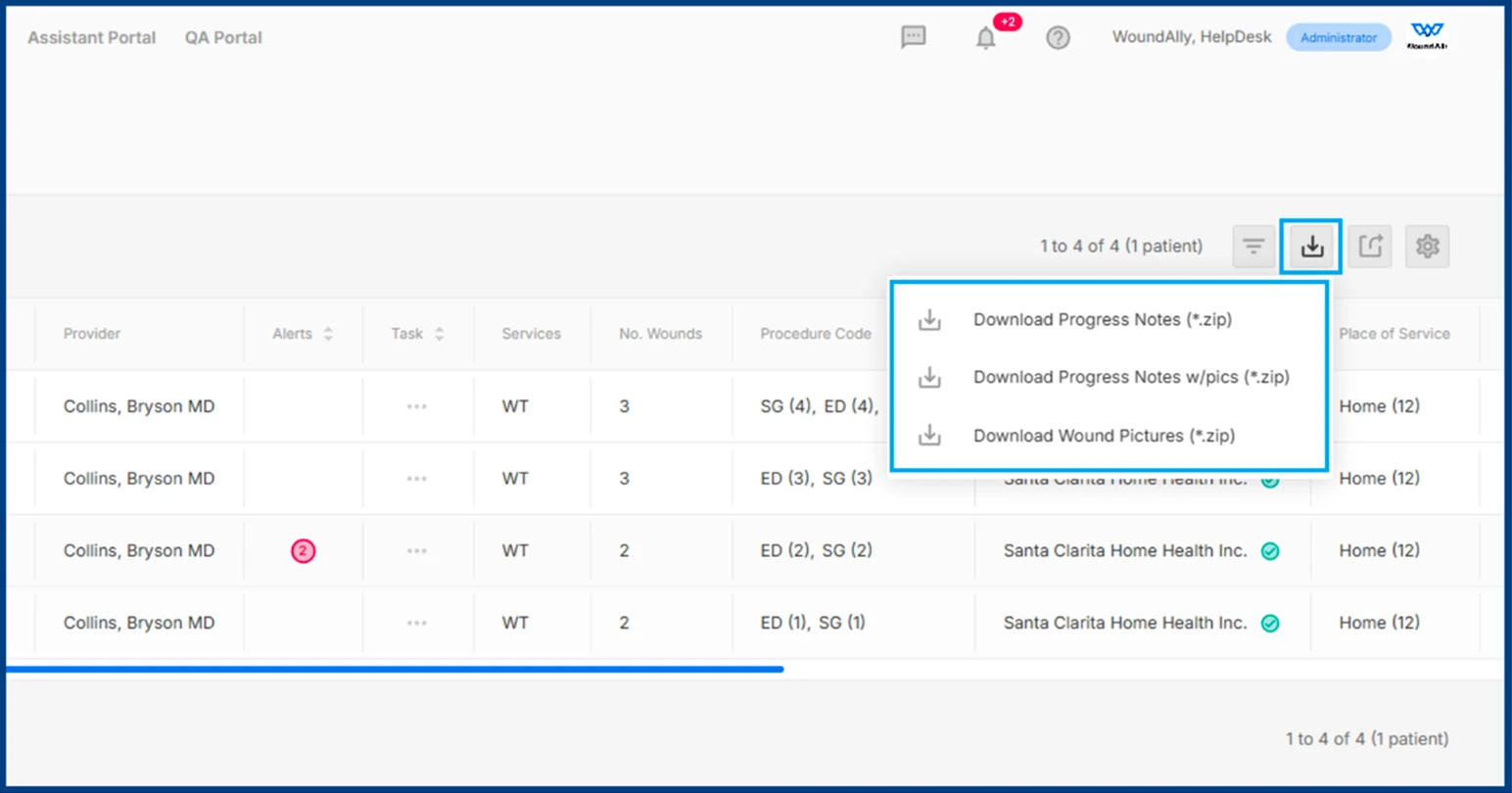
Click Bulk Download of Progress Notes in the top right corner and select one of the following options:
-
Download Progress Notes
Downloads progress notes without wound images
-
Download Progress Notes w/pics
Downloads progress notes including wound images
-
Download Wound Pictures
Downloads only wound images from each date of service
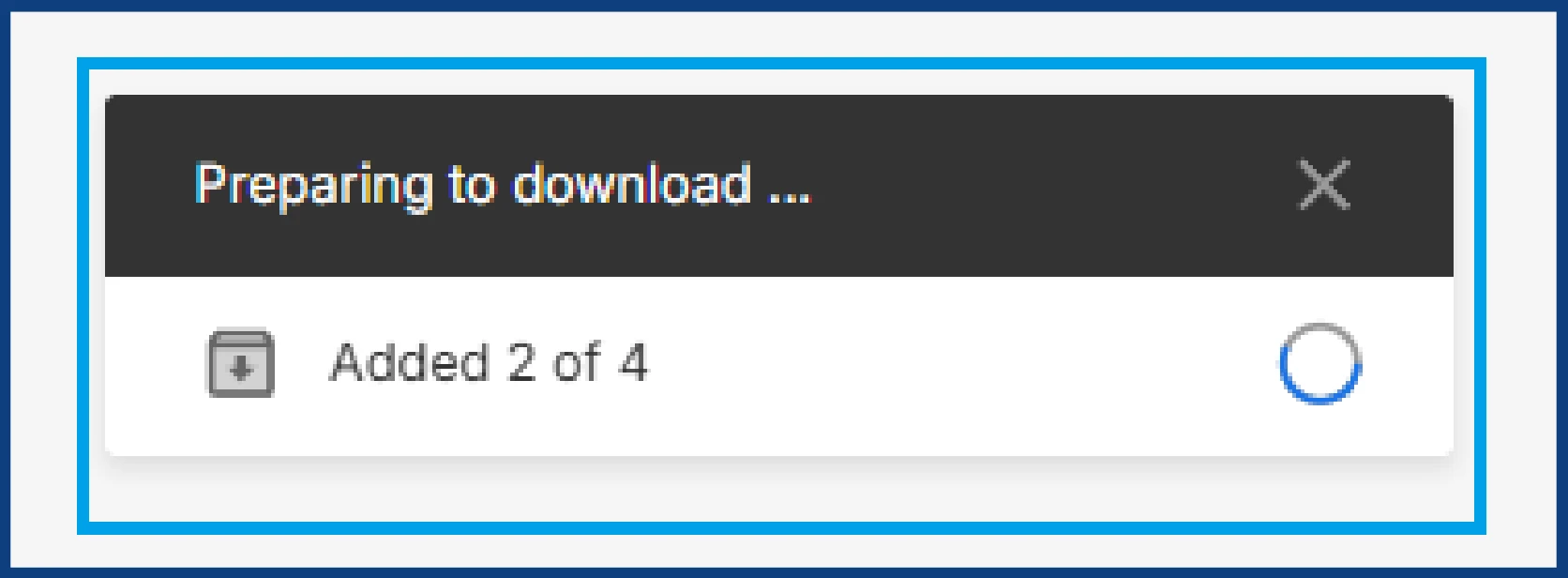
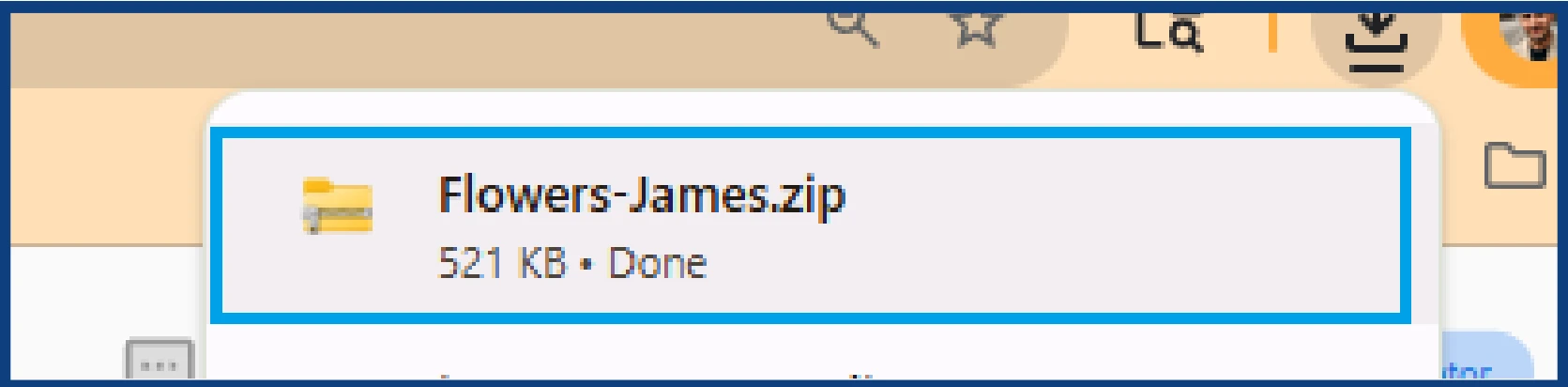
A ZIP file containing the selected files will be downloaded to your device.
Downloading Bulk-Patient Demographics
Patient demographics include all information entered in the patient’s medical record.
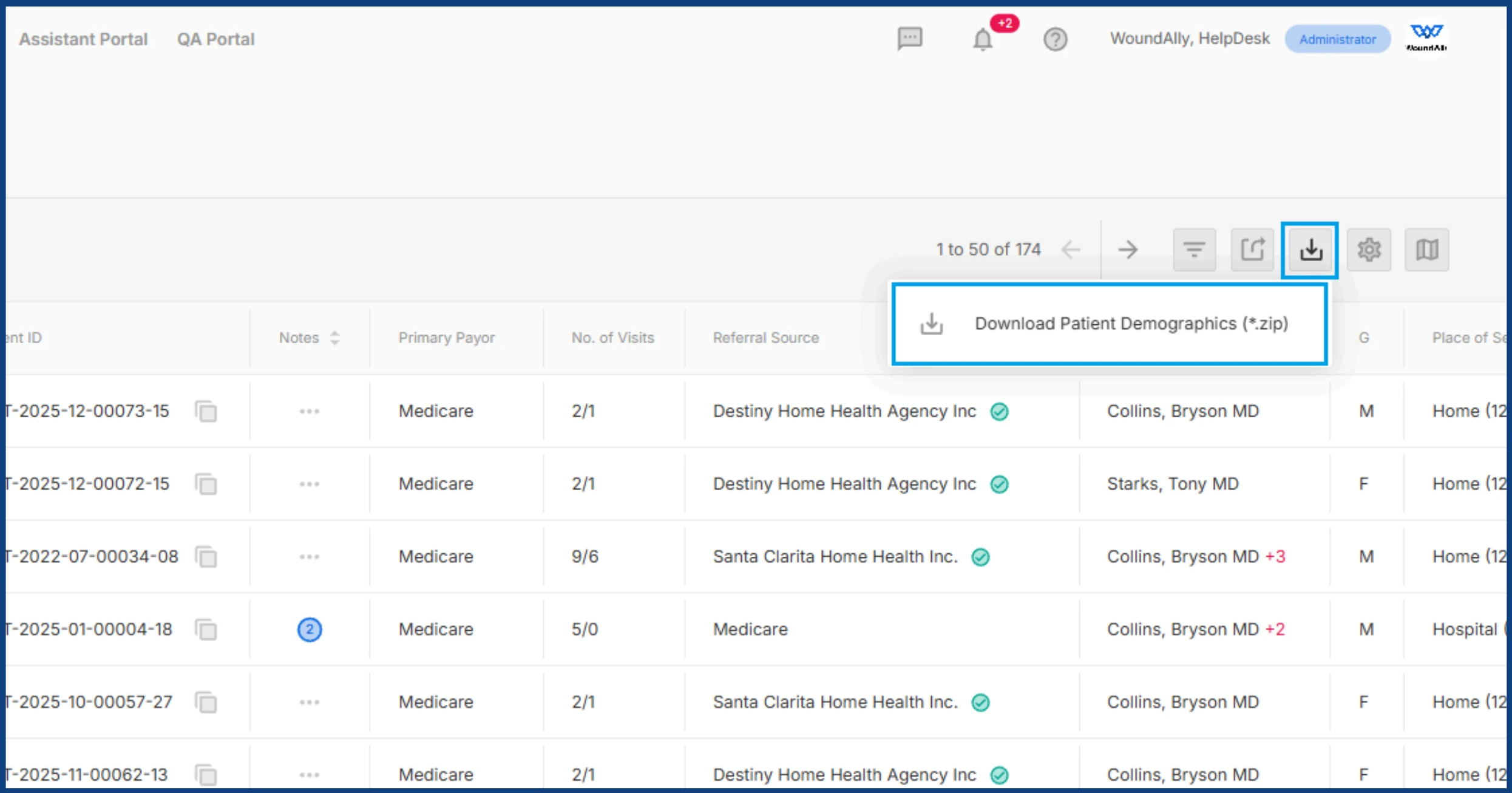
Navigate to Patients > Census

Click the Bulk Download of Patient Demographics button in the top right corner and select Download Patient Demographics.
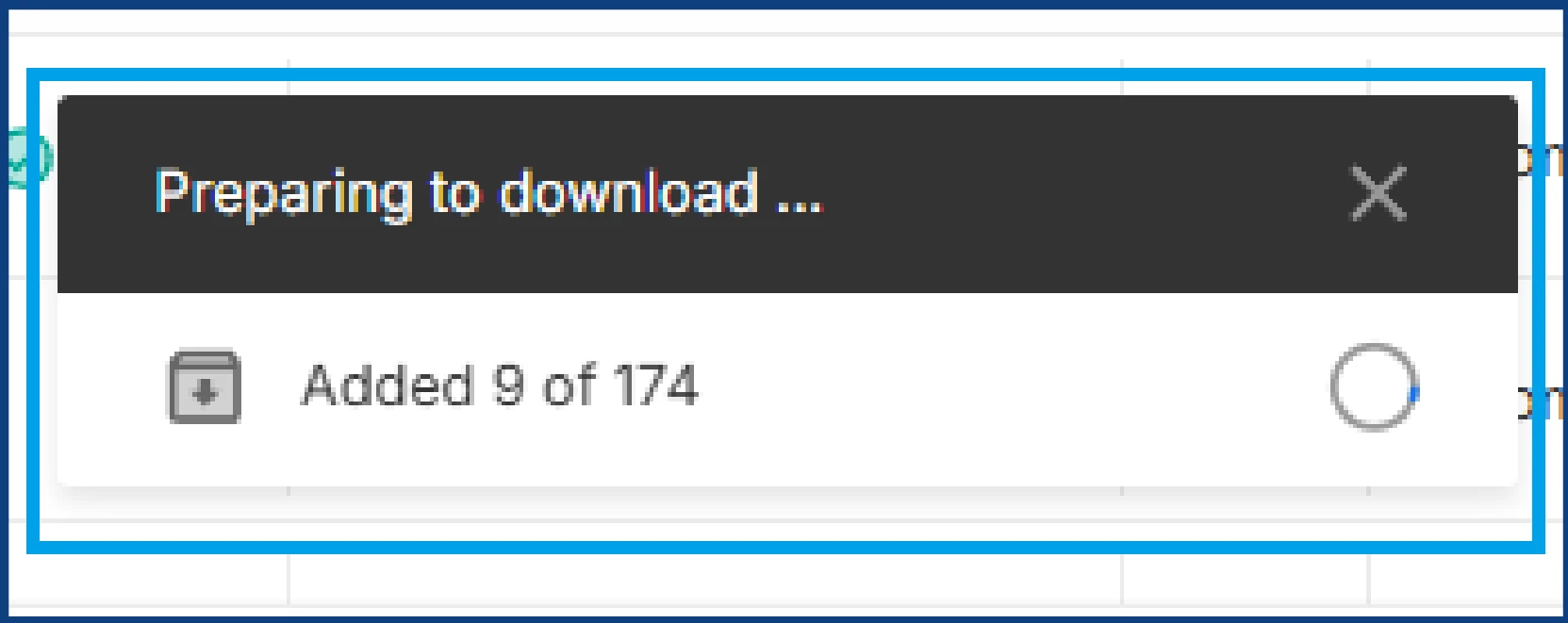
A confirmation pop up will appear asking, “Are you sure you want to download all census?” Select the red Download button. A ZIP file containing all census files will then be downloaded to your device.


Downloading Bulk-Patient Progress Notes
Navigate to Workflow > Progress Notes
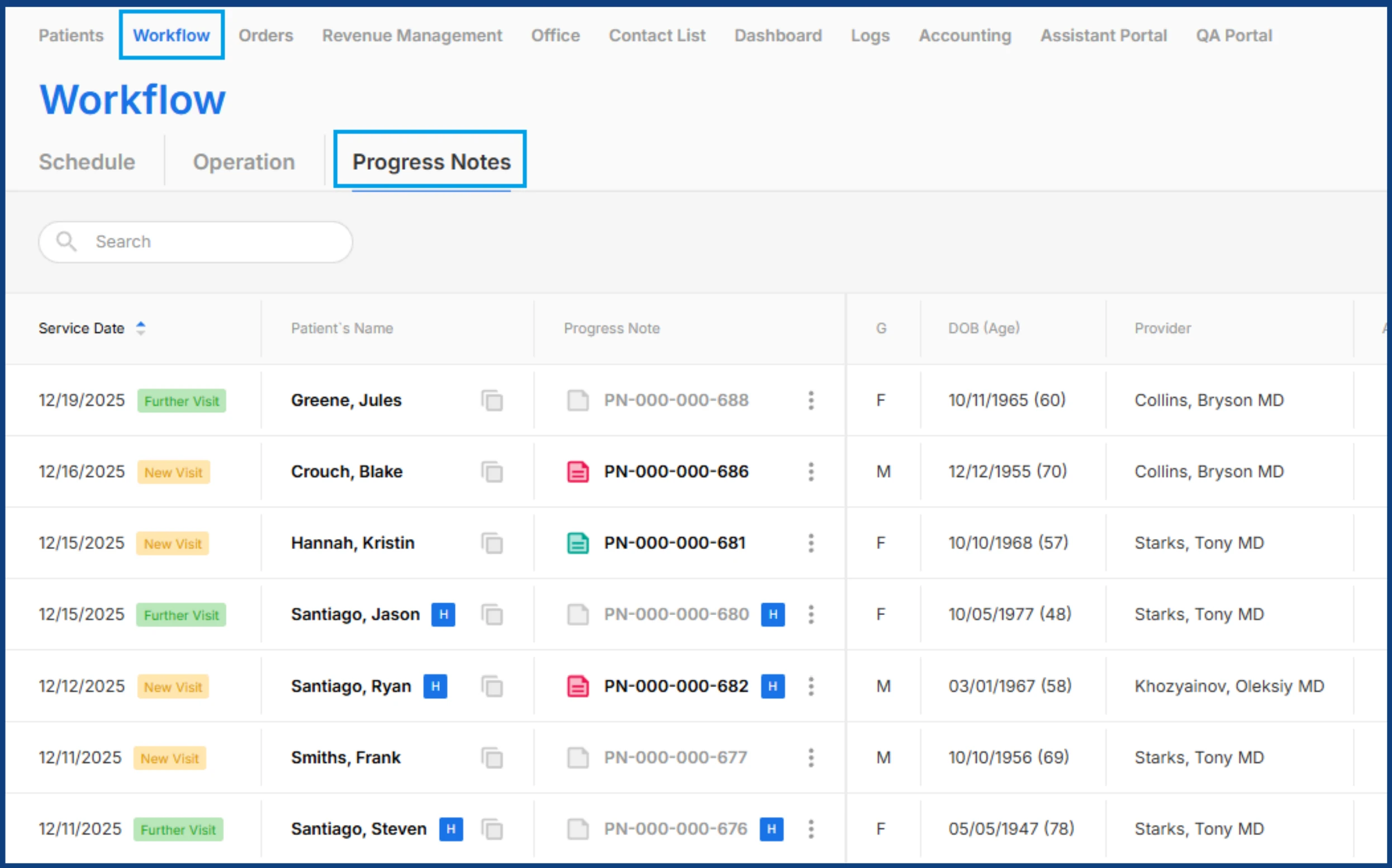
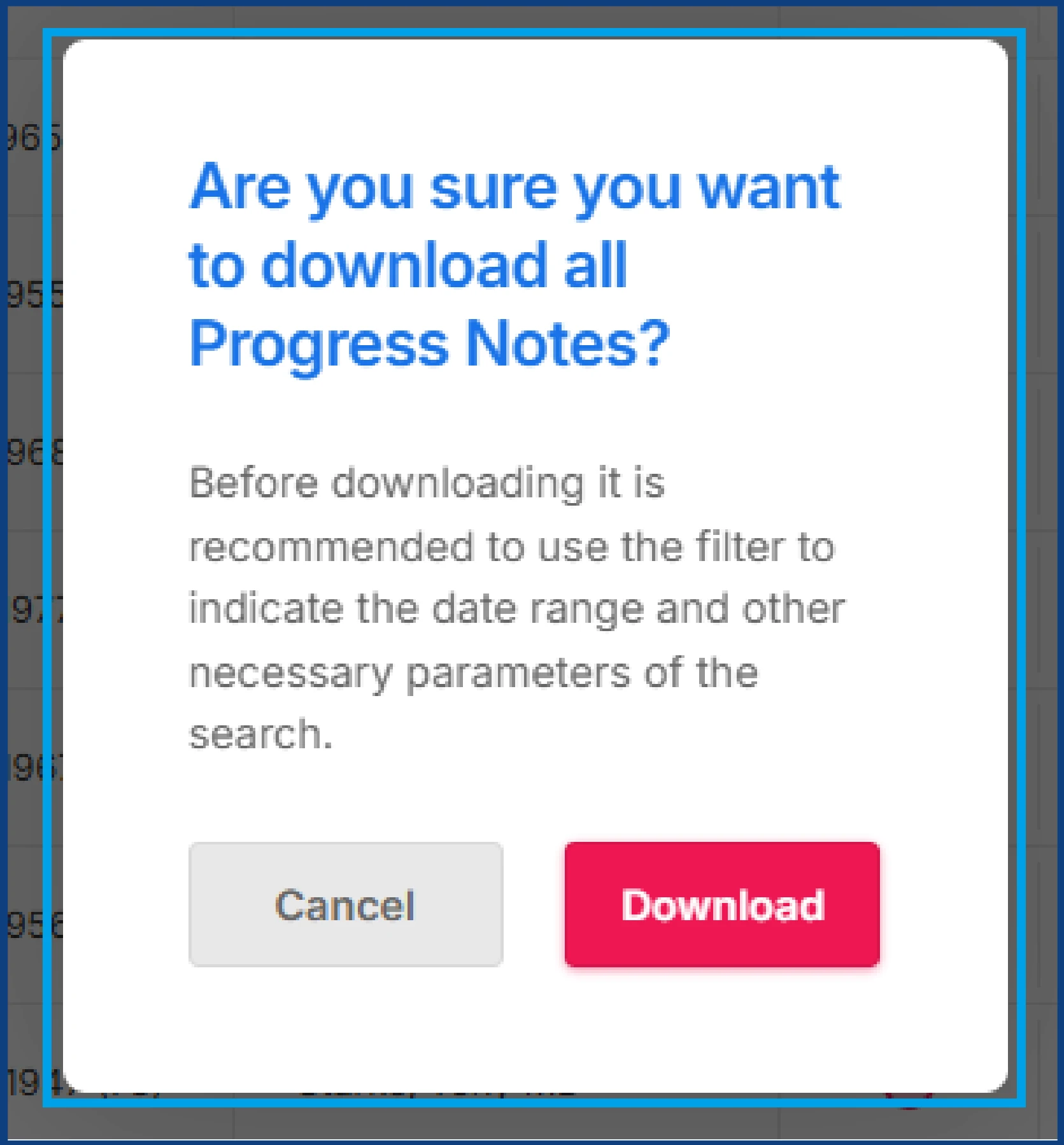
Click the Bulk Download of Progress Notes in the top right corner and select one of the following options:
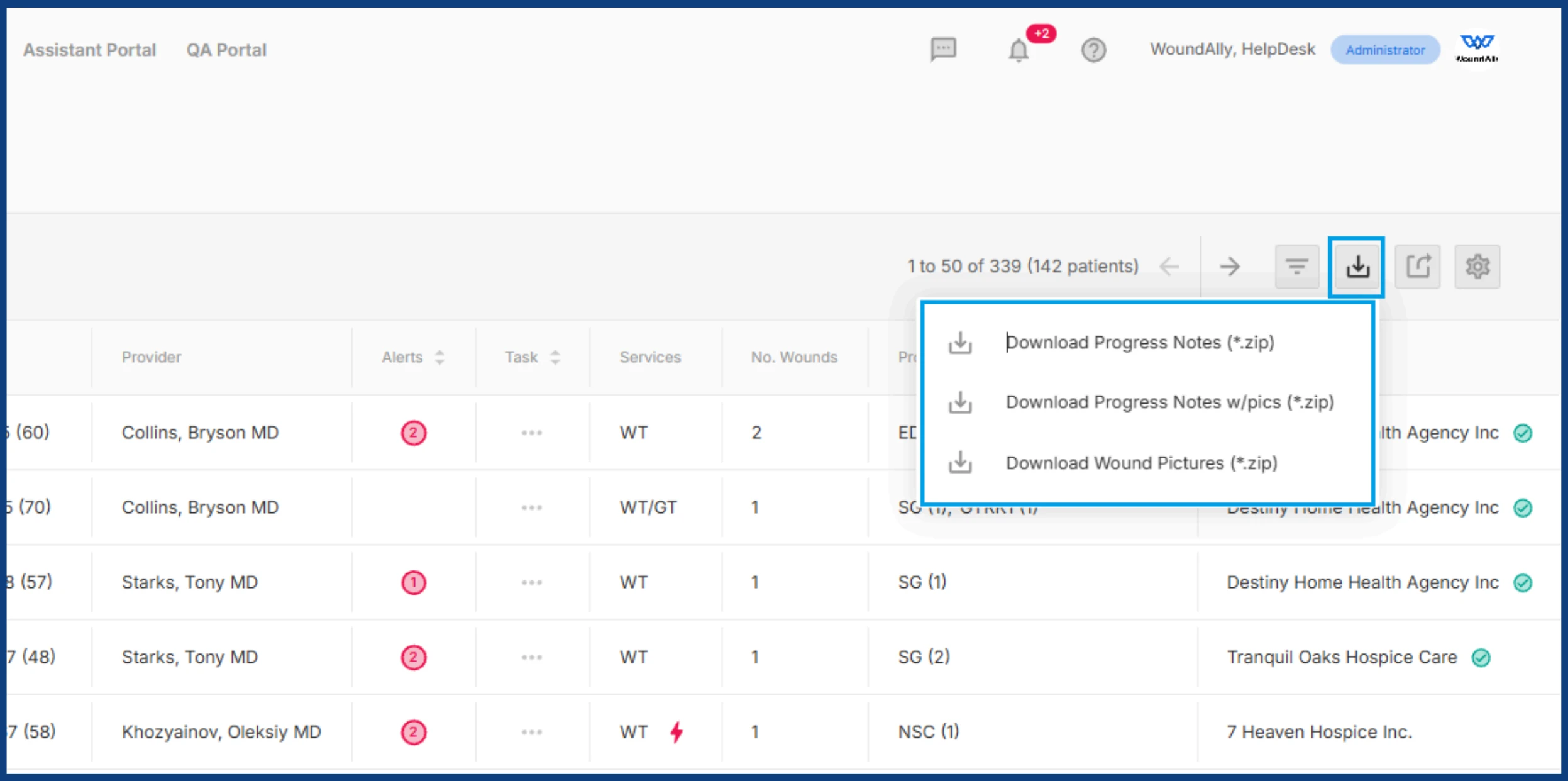
-
Download Progress Notes
Downloads progress notes without wound images
-
Download Progress Notes w/pics
Downloads progress notes including wound images
-
Download Wound Pictures
Downloads only wound images from each date of service
A confirmation pop up will appear asking, “Are you sure you want to download all Progress Notes?” Select the red Download button. A ZIP file containing all progress notes will then be downloaded to your device.